INTERNSHIP
INTERNSHIP
INTERNSHIP
Designing a Scalable System for Stubios Desktop
Designing a Scalable System
for Stubios Desktop
Designing a Scalable System for Stubios Desktop
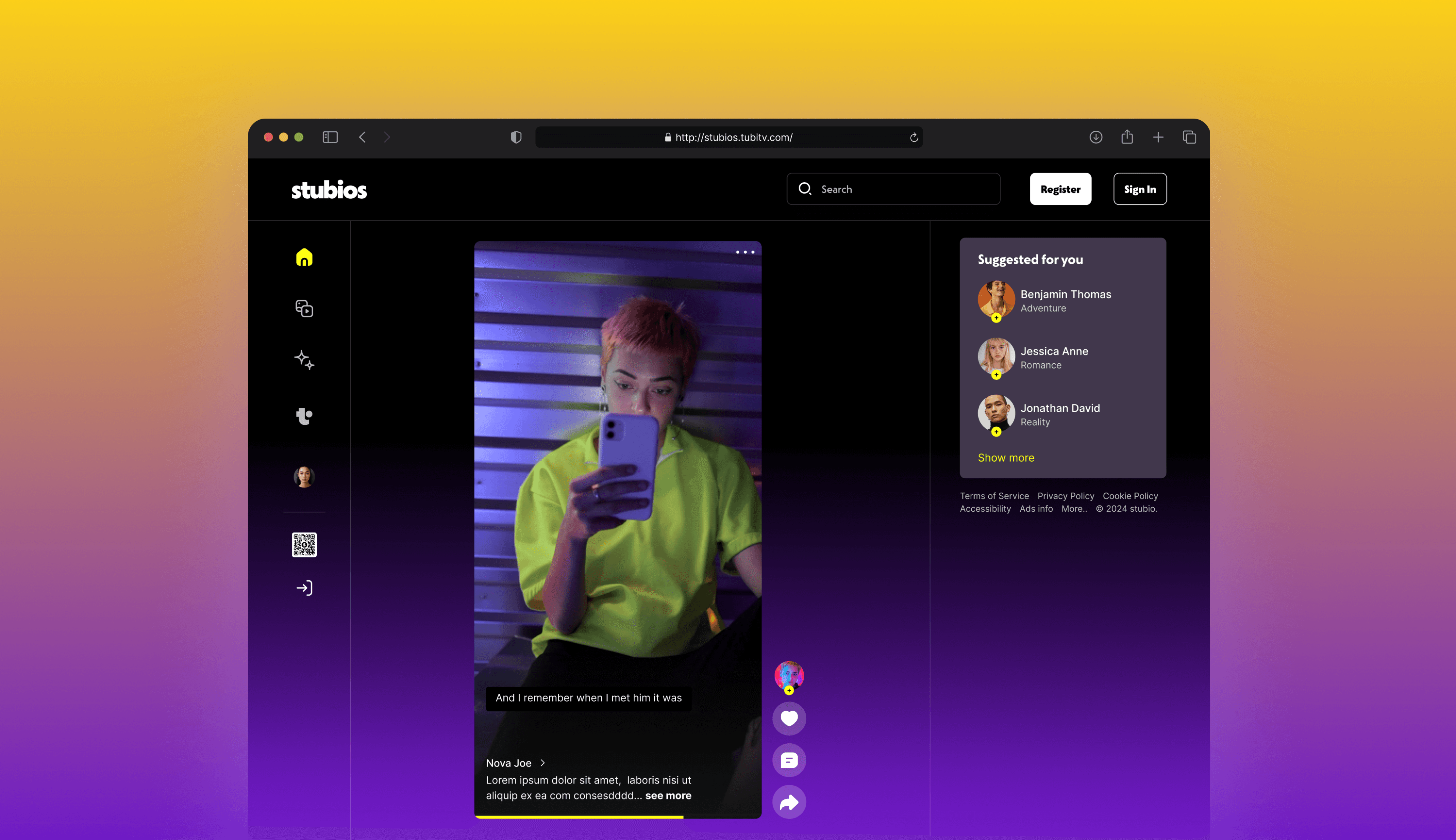
Redesigned Stubios for desktop with a modular design system, enabling a scalable, accessible experience. Reduced developer handoff time by 30% through reusable components, WCAG-compliant color, and grid-based layout.
Redesigned Stubios for desktop with a modular design system, enabling a scalable, accessible experience. Reduced developer handoff time by 30% through reusable components, WCAG-compliant color, and grid-based layout.
Redesigned Stubios for desktop with a modular design system, enabling a scalable, accessible experience. Reduced developer handoff time by 30% through reusable components, WCAG-compliant color, and
grid-based layout.
Redesigned Stubios for desktop with a modular design system, enabling
a scalable, accessible experience. Reduced developer handoff time
by 30% through reusable components, WCAG-compliant color, and
grid-based layout.
DURATION
DURATION
DURATION
10 Weeks
Feb 2024 - Apr 2024
10 Weeks
Feb 2024 - Apr 2024
10 Weeks
Feb 2024
-Apr 2024
10 Weeks
Feb 2024
-Apr 2024
ROLE
ROLE
ROLE
UX Design Intern
UX Design Intern
UX Design
Intern
UX Design
Intern
TEAM
TEAM
TEAM
Project Manager
Creative Strategist
Senior UX Designer
Engineering Team
Project Manager
Creative Strategist
Senior UX Designer
Engineering Team
Project Manager
Creative Strategist
Senior UX Designer
Engineering Team
TOOL
TOOL
TOOL
Figma, Adobe Creative
Suite, Jira, Slack
Figma, Adobe Creative
Suite, Jira, Slack
Figma,
Adobe Creative
Suite, Jira, Slack
Figma,
Adobe Creative
Suite, Jira, Slack
BACKGROUND
BACKGROUND
BACKGROUND
BACKGROUND
Tubi’s users consume content primarily on TV or Desktop
Tubi’s users consume content
primarily on TV or Desktop
Tubi’s users consume content primarily on TV
or Desktop
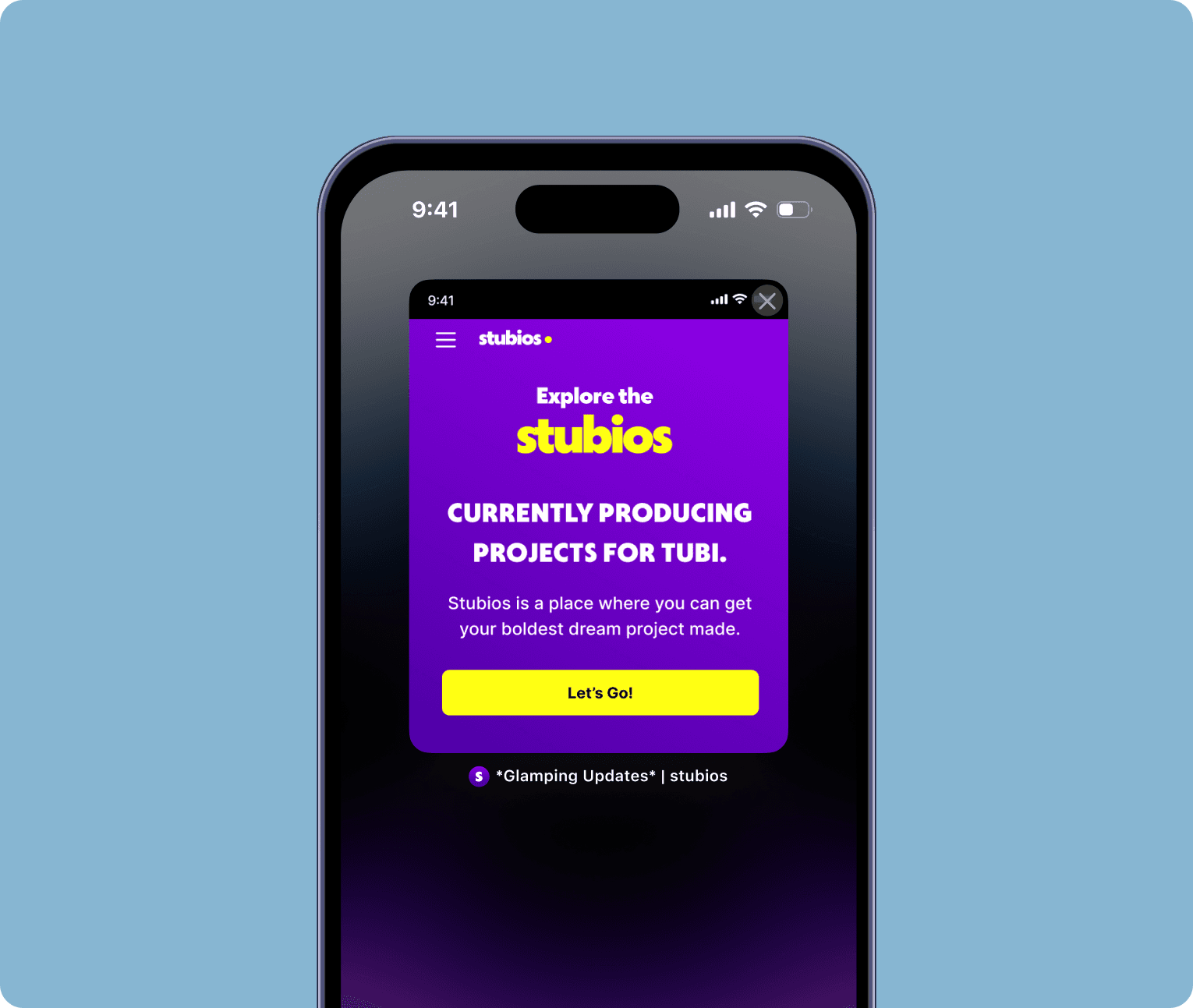
Stubios launched as a new social media platform but was only available as a mobile web app.
However, analytics showed that Tubi's users(Stubios’s target audience) primarily consume content on TV or desktop devices, creating a major accessibility and engagement gap.
Stubios launched as a new social media platform but was only available as a mobile web app.
However, analytics showed that Tubi's users(Stubios’s target audience) primarily consume content on TV or desktop devices, creating a major accessibility and engagement gap.
Stubios launched as a new social media platform but was only available as a mobile web app.
However, analytics showed that Tubi's users(Stubios’s target audience) primarily consume content on TV or desktop devices, creating a major accessibility and engagement gap.

CURRENT SOLUTION
CURRENT SOLUTION
CURRENT SOLUTION
CURRENT SOLUTION
Users were shown a QR code, forcing them to switch devices
Users were shown a QR code, forcing them to switch devices
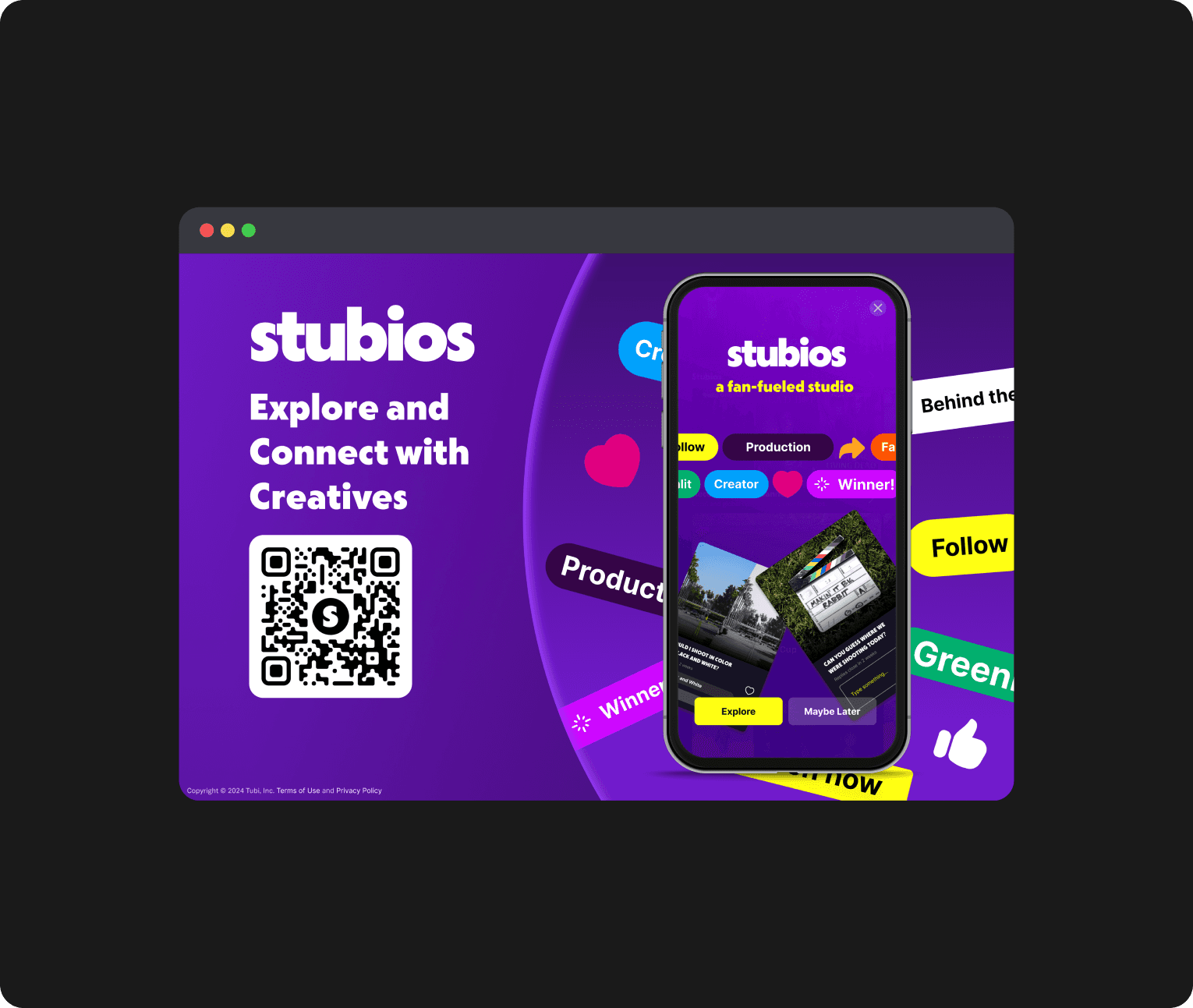
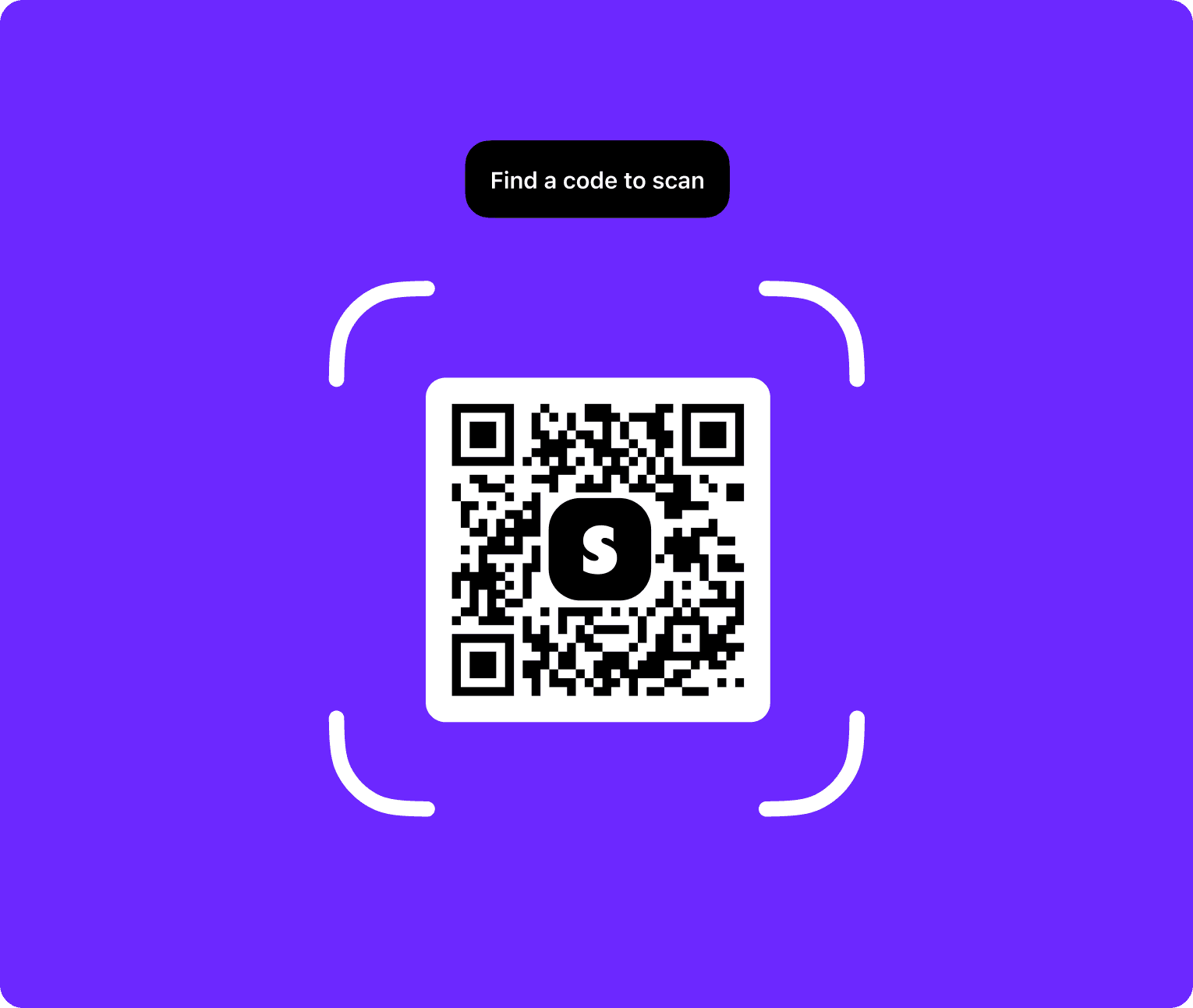
When accessing Stubios on desktop, users encountered a QR code directing them to open the site on mobile.
While this allowed some level of access, it disrupted the experience, created friction, and excluded users who preferred or relied on desktop devices.
When accessing Stubios on desktop, users encountered a QR code directing them to open the site on mobile.
While this allowed some level of access, it disrupted the experience, created friction, and excluded users who preferred or relied on desktop devices.
When accessing Stubios on desktop, users encountered a QR code directing them to open the site on mobile.
While this allowed some level of access, it disrupted the experience, created friction, and excluded users who preferred or relied on desktop devices.
01 Desktop Splash Screen
01 Desktop Splash Screen
02 Scan the QR Code
02 Scan the QR Code
02 Scan the QR Code
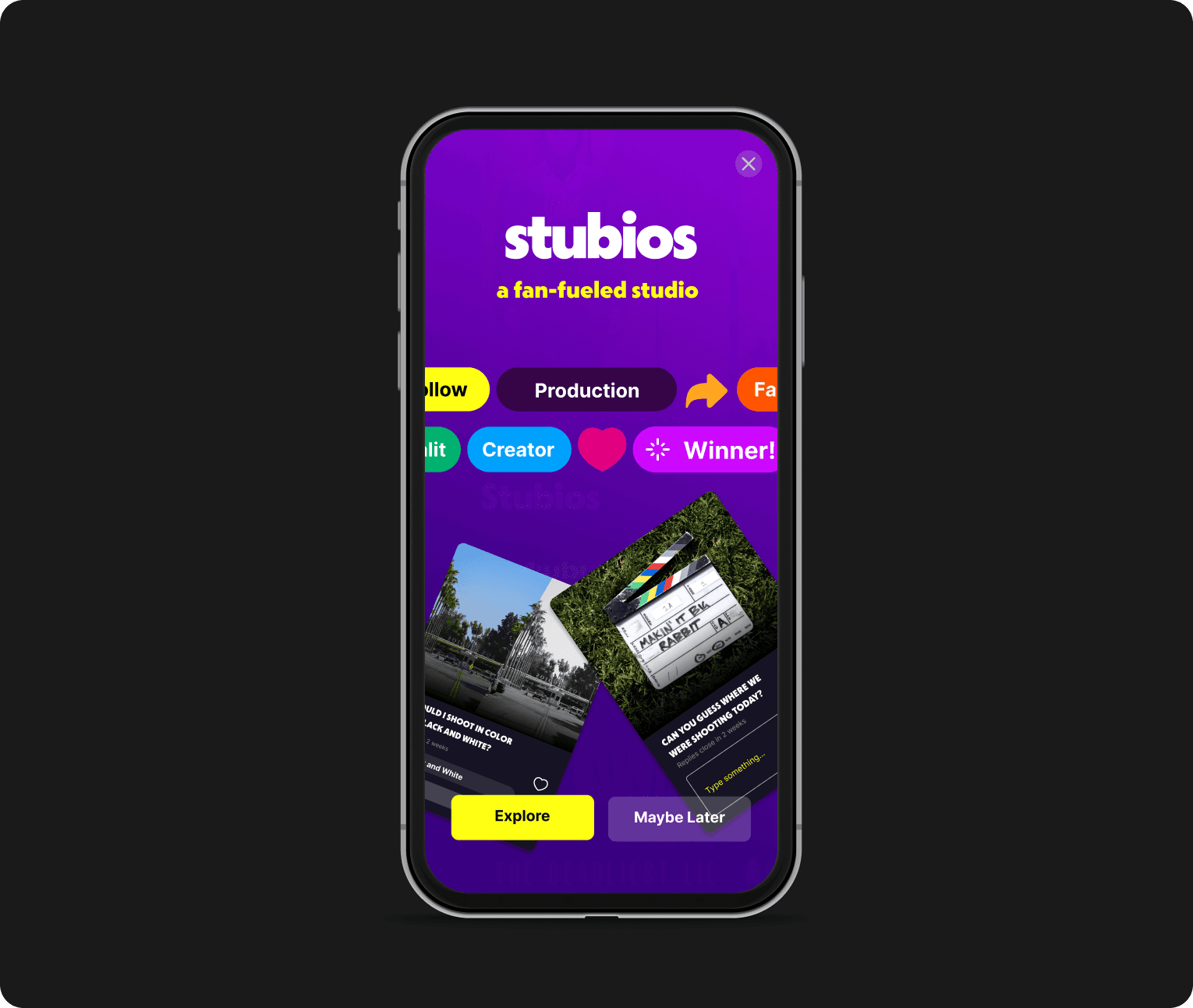
03 Open the Safari
03 Open the Safari
03 Open the Safari
How might we remove the hassle of QR-code switching and let users stay on the device they choose?
How might we remove the hassle of QR-code switching and let users stay on the device they choose?
SOLUTION PROCESS (STEP 1)
SOLUTION PROCESS (STEP 1)
SOLUTION PROCESS (STEP 1)
SOLUTION PROCESS (STEP 1)
Created a scalable,
modular design system
from scratch
Created a scalable,
modular design system
from scratch
Created a scalable,
modular design system
from scratch
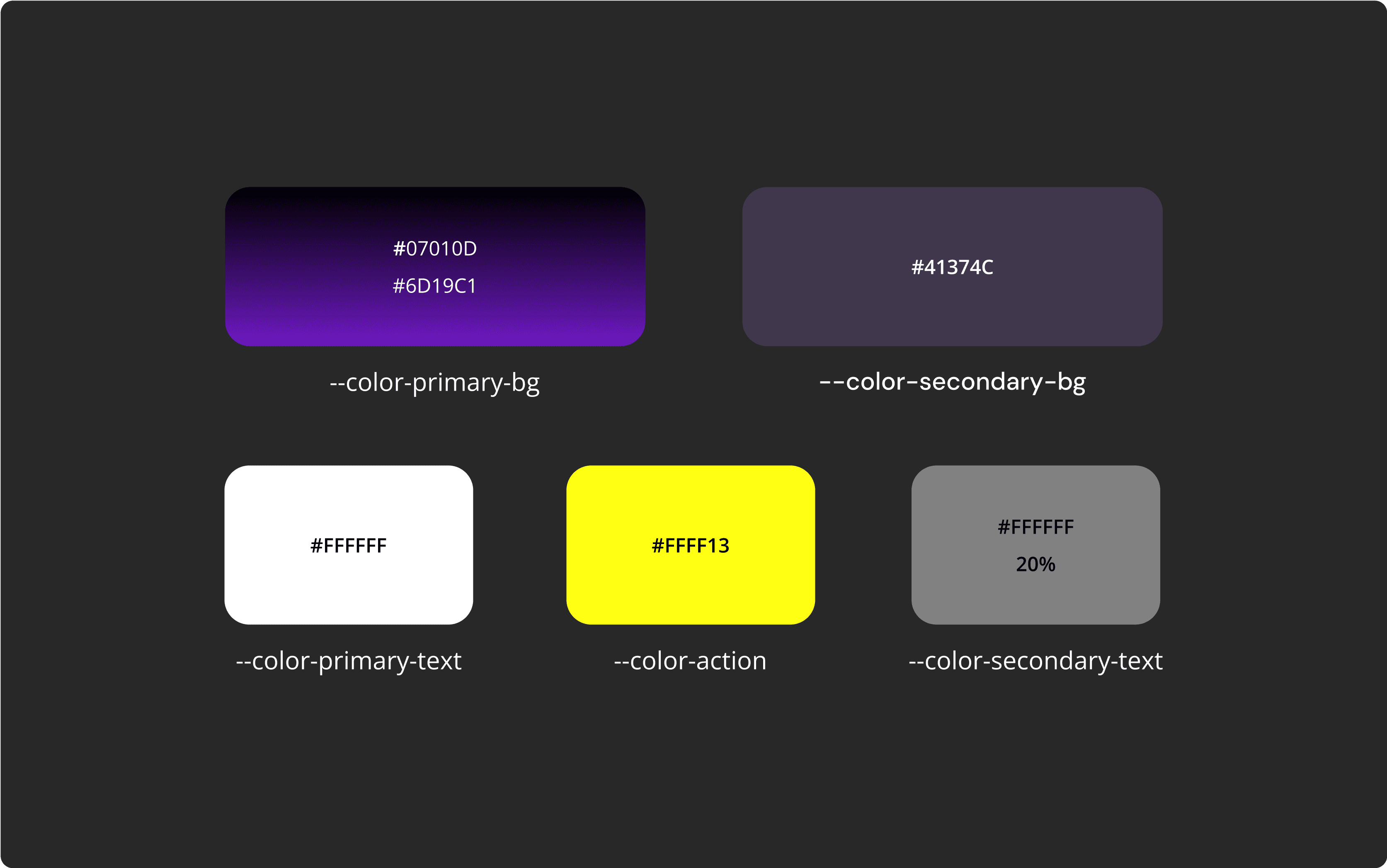
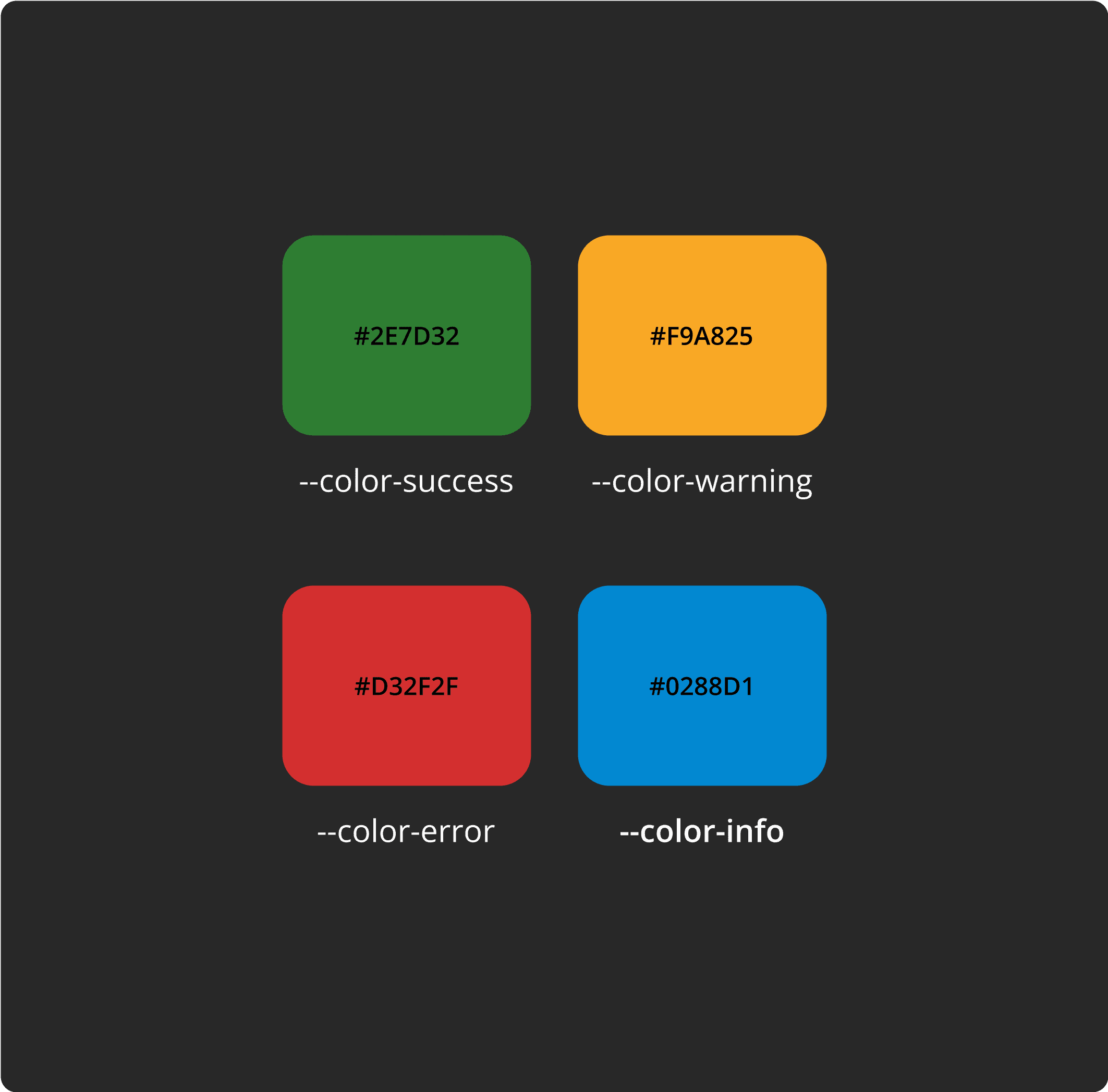
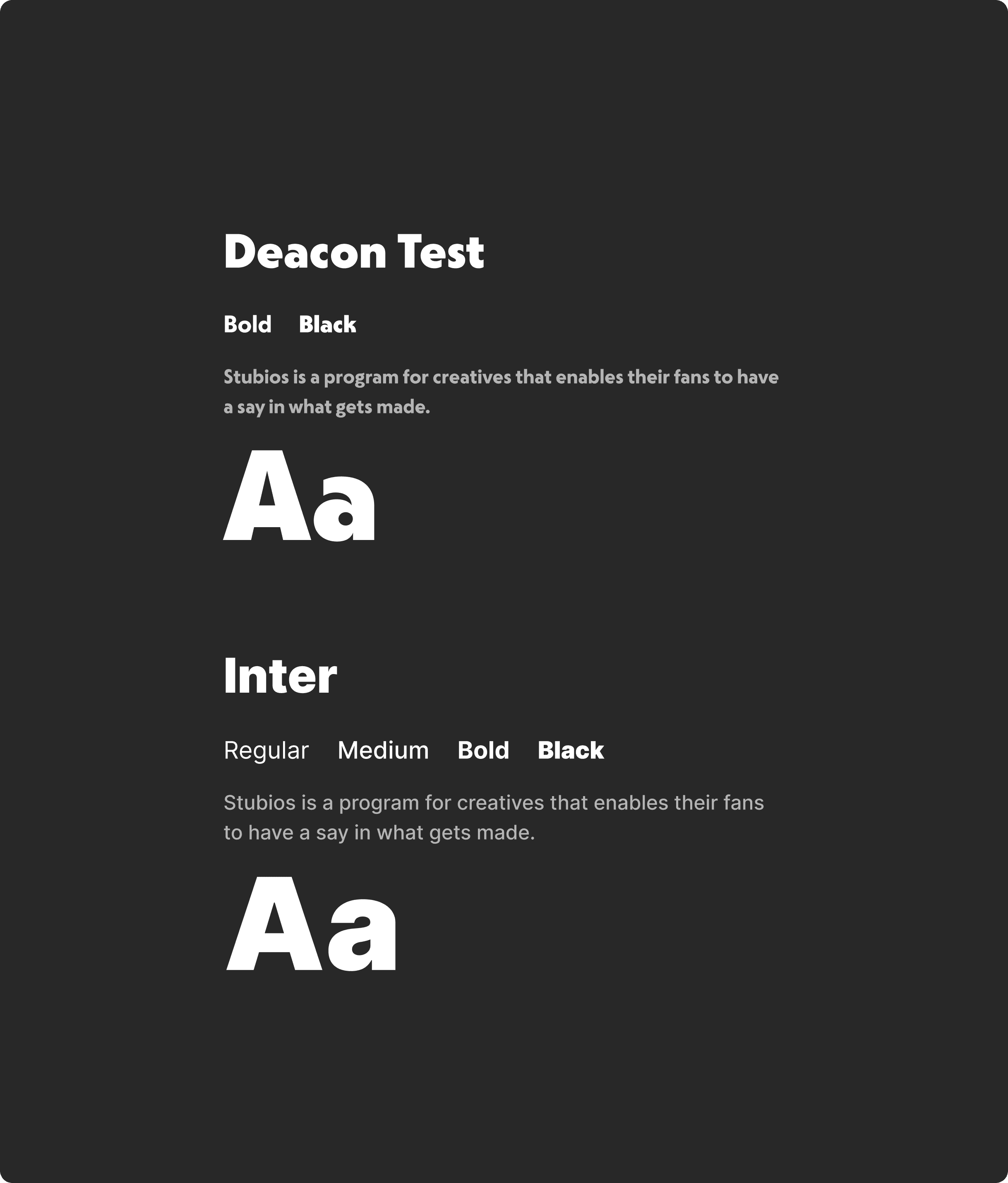
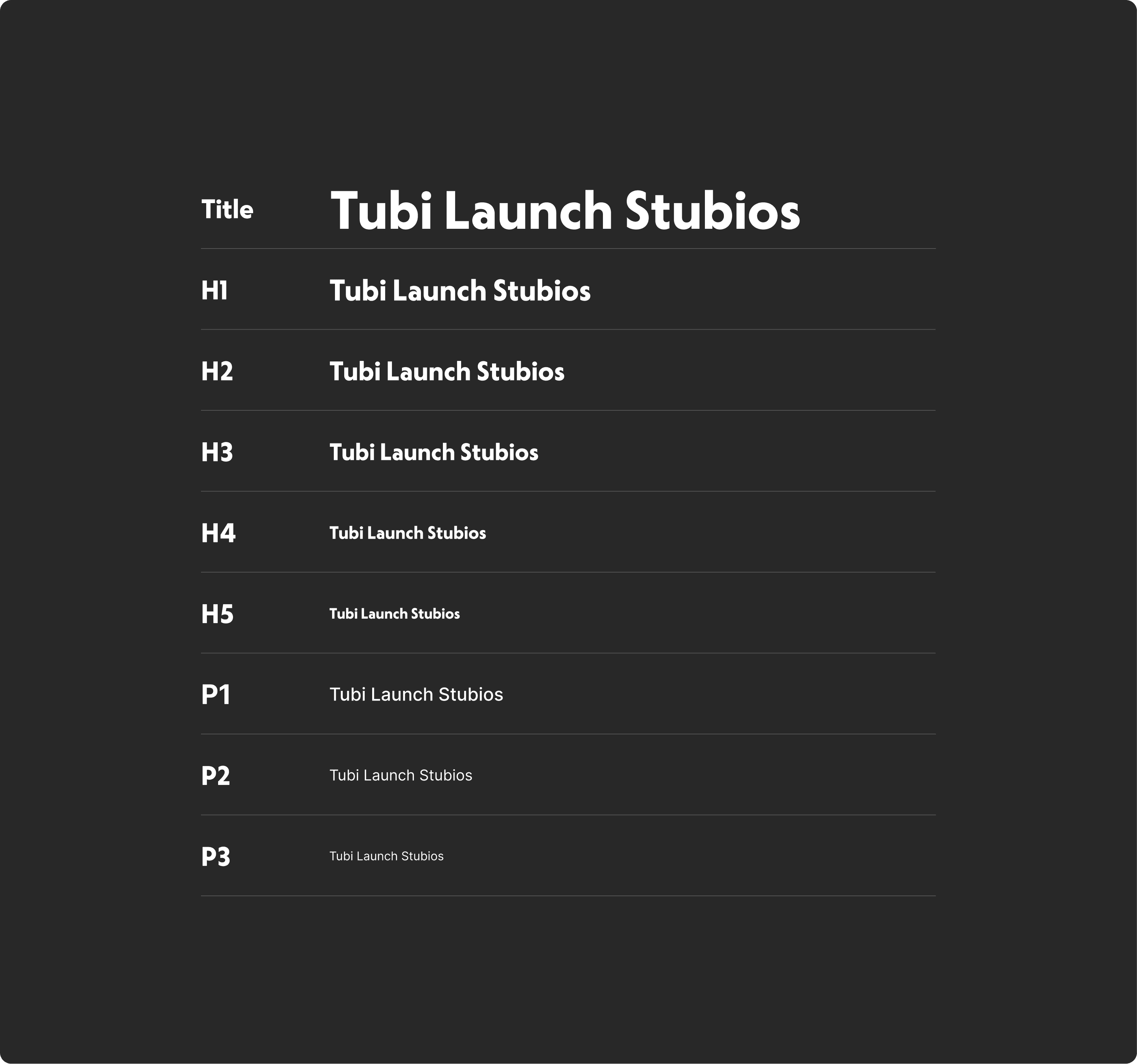
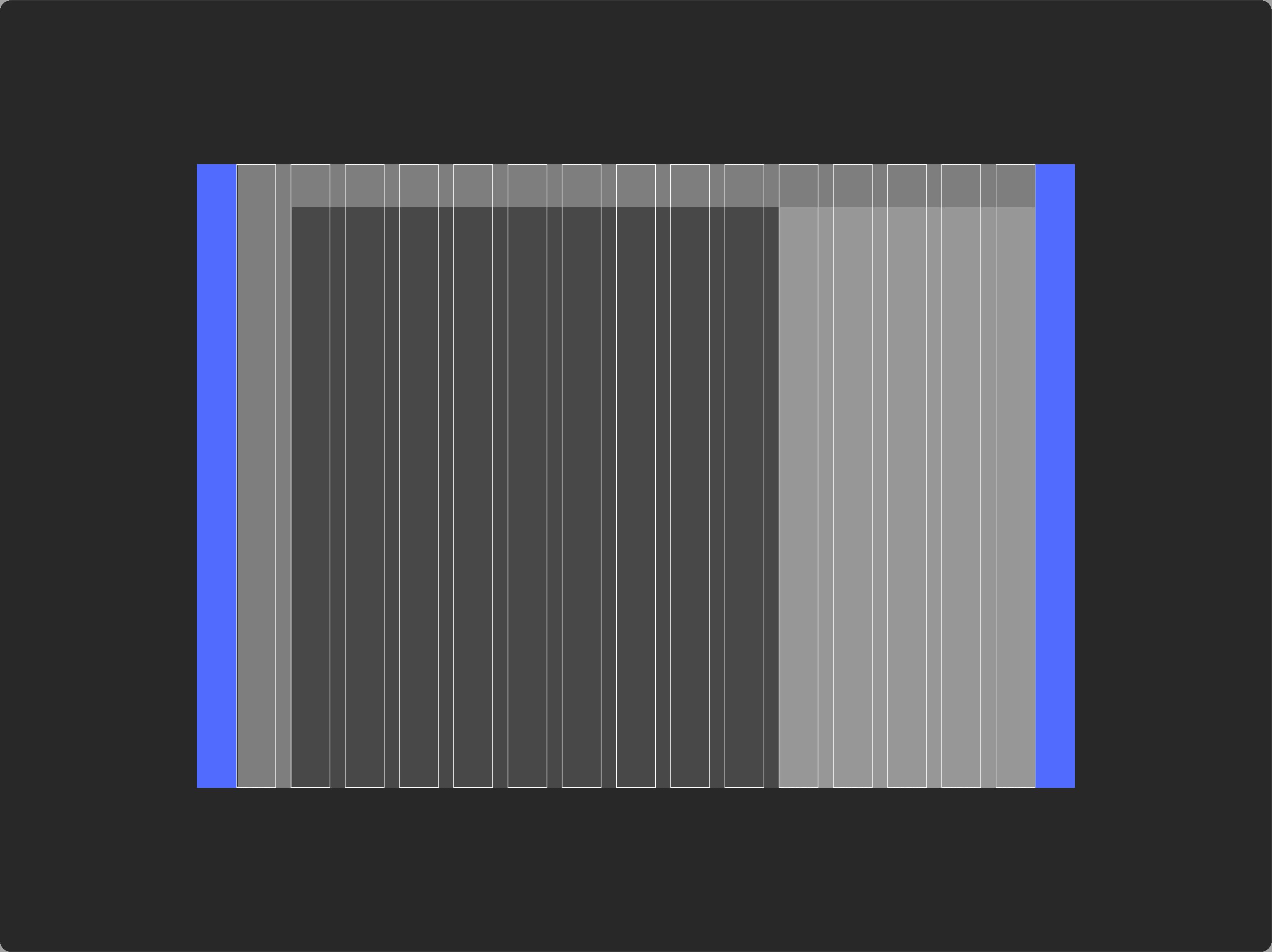
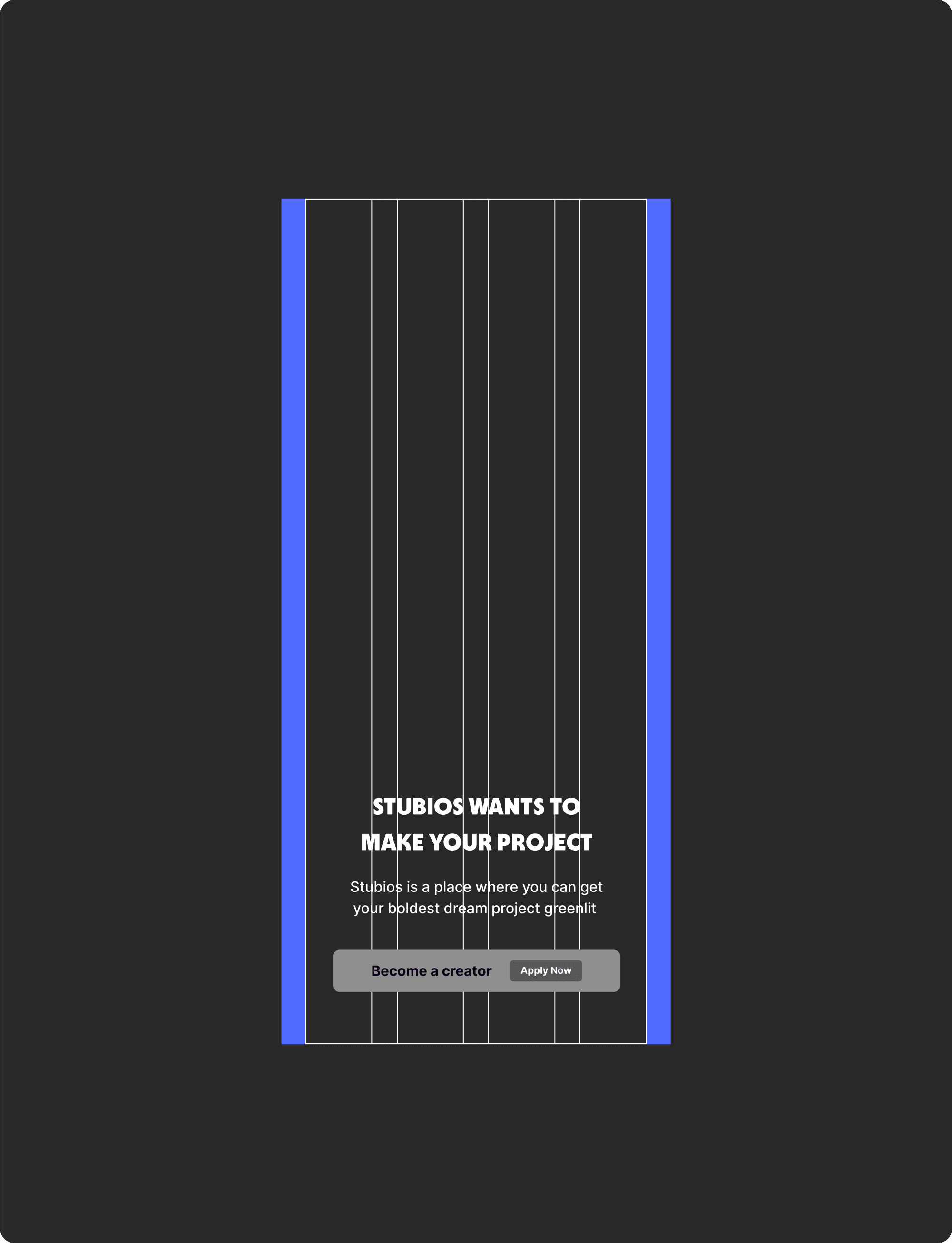
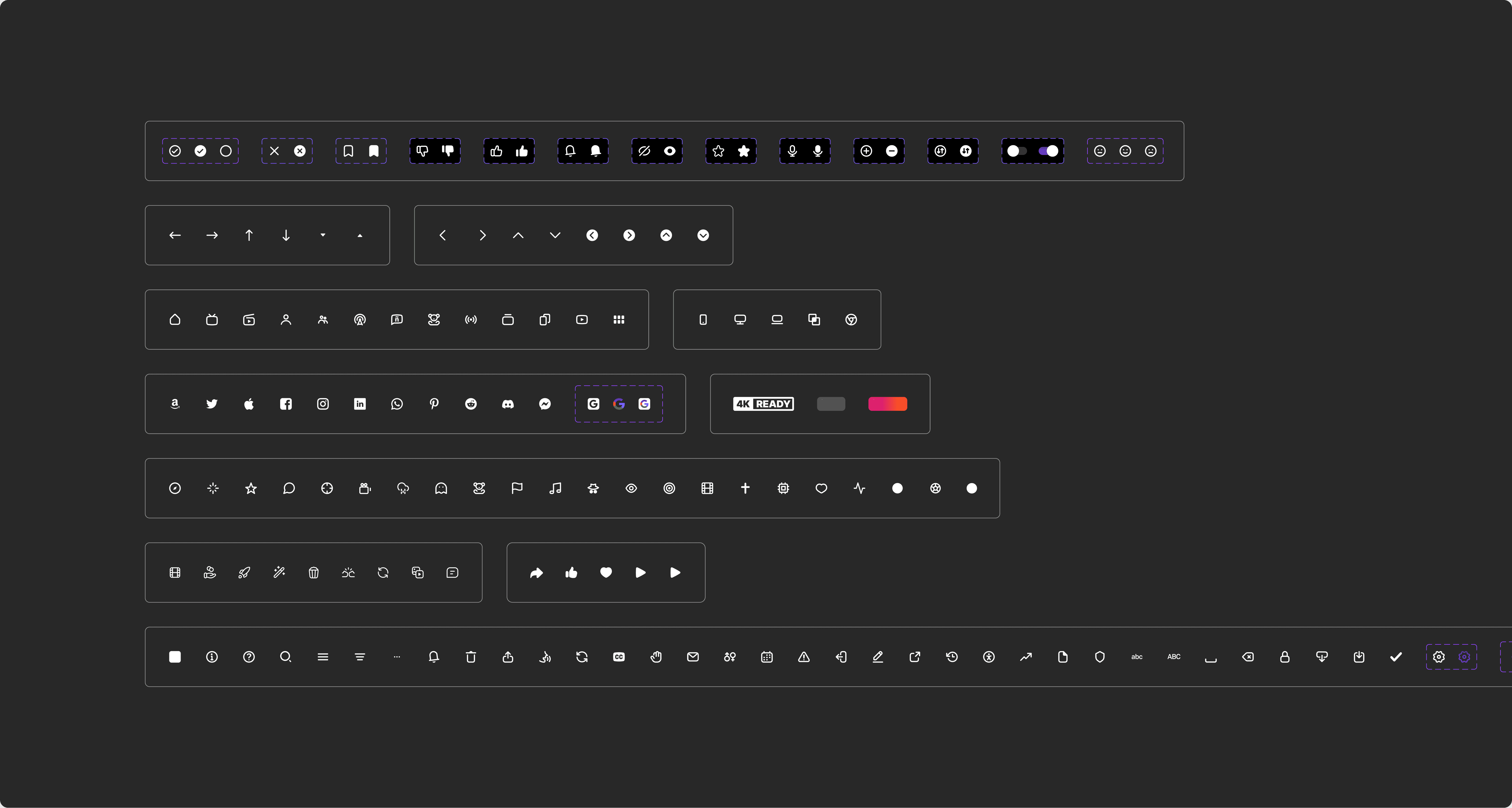
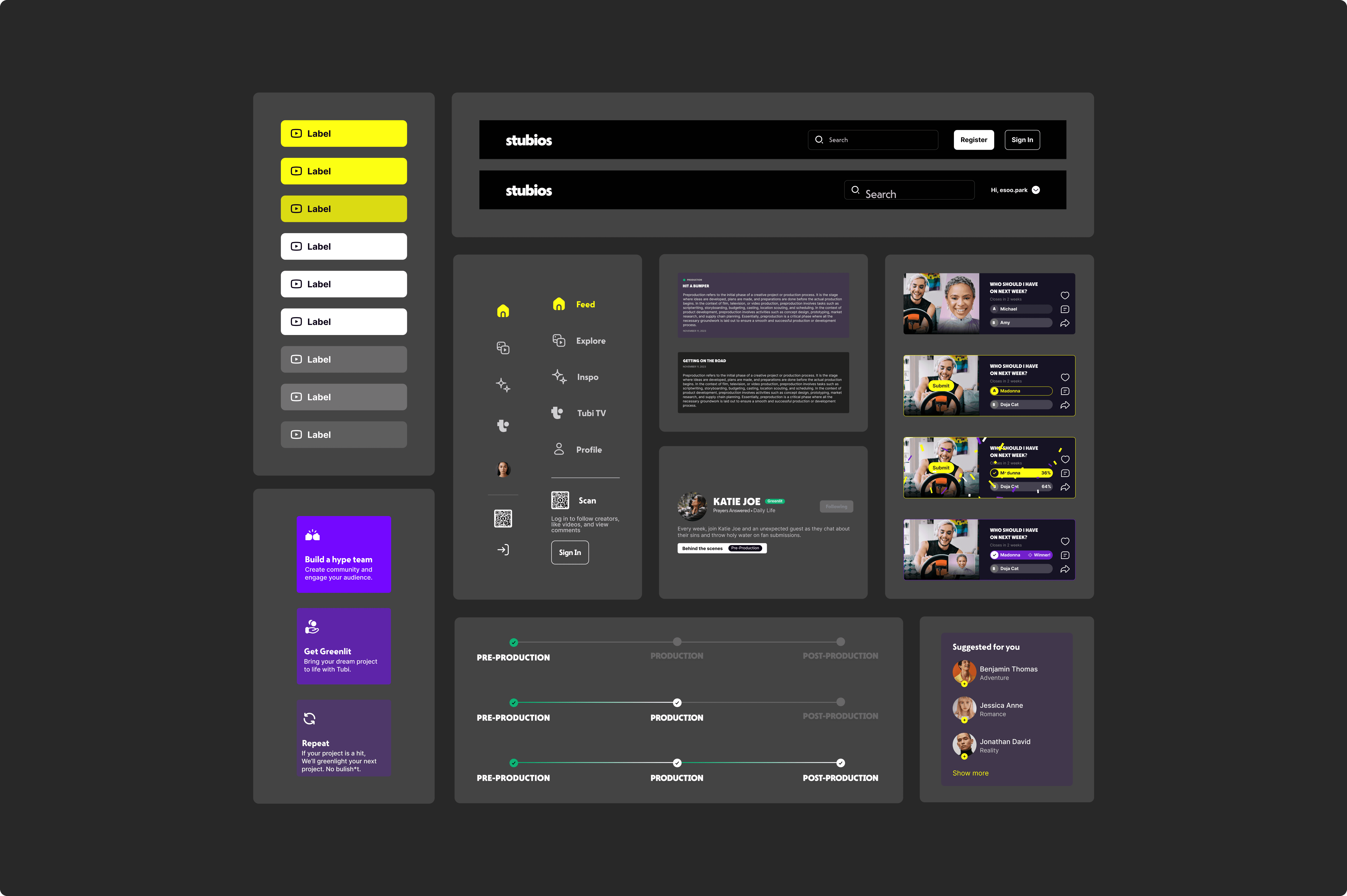
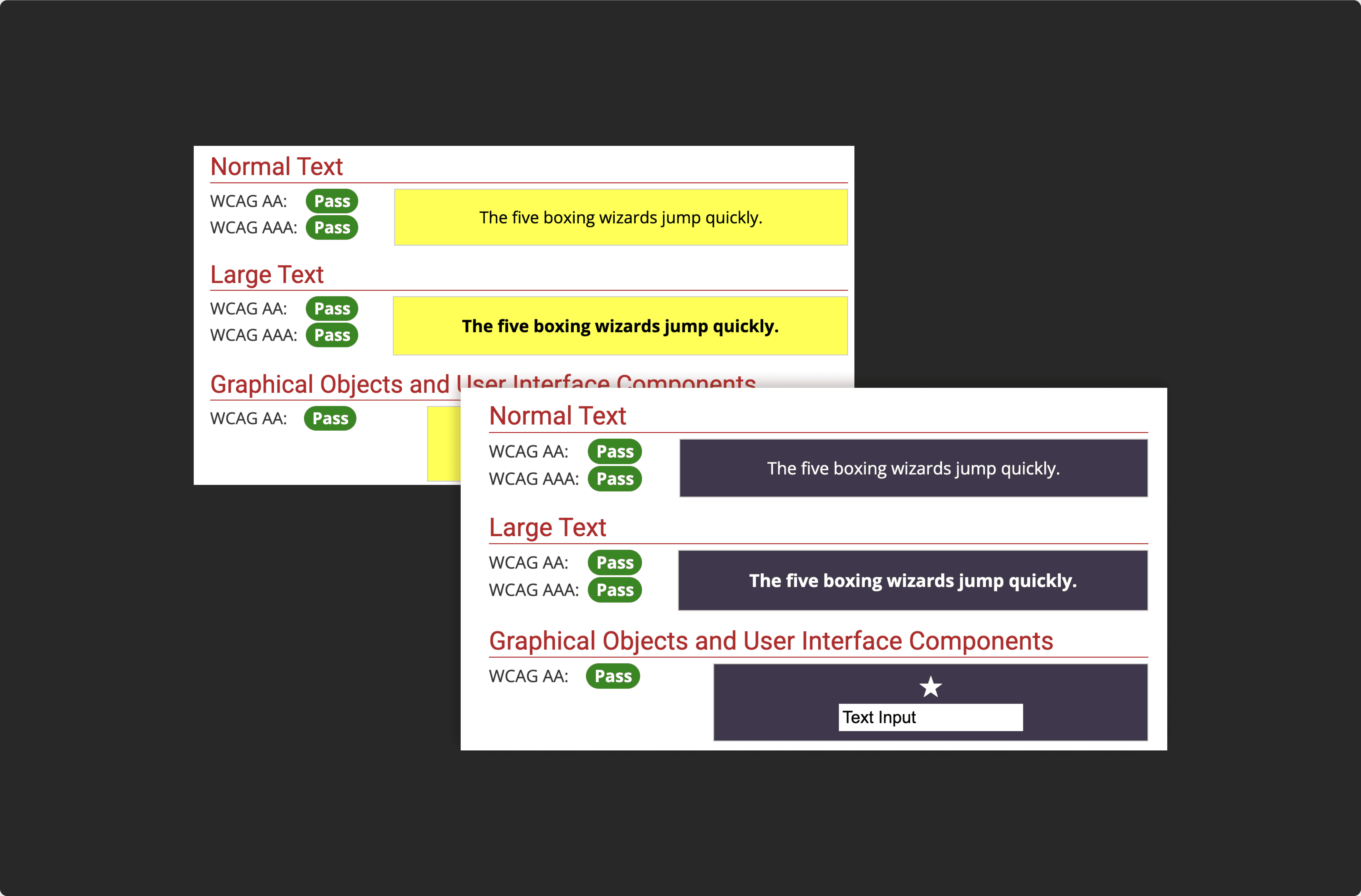
I started by establishing a flexible design system to ensure consistency and scalability across platforms.
This included defining core components, spacing rules, color tokens, and typography styles—all designed to work responsively on desktop and mobile.
I started by establishing a flexible design system to ensure consistency and scalability across platforms.
This included defining core components, spacing rules, color tokens, and typography styles—all designed to work responsively on desktop and mobile.
I started by establishing a flexible design system to ensure consistency and scalability across platforms.
This included defining core components, spacing rules, color tokens, and typography styles—all designed to work responsively on desktop and mobile.
I started by establishing a flexible design system to ensure consistency and scalability across platforms.
This included defining core components, spacing rules, color tokens, and typography styles—all designed to work responsively on desktop and mobile.
SOLUTION PROCESS (STEP 2)
SOLUTION PROCESS (STEP 2)
SOLUTION PROCESS (STEP 2)
Redesigned the desktop
experience using reusable components
Redesigned the desktop
experience using reusable components
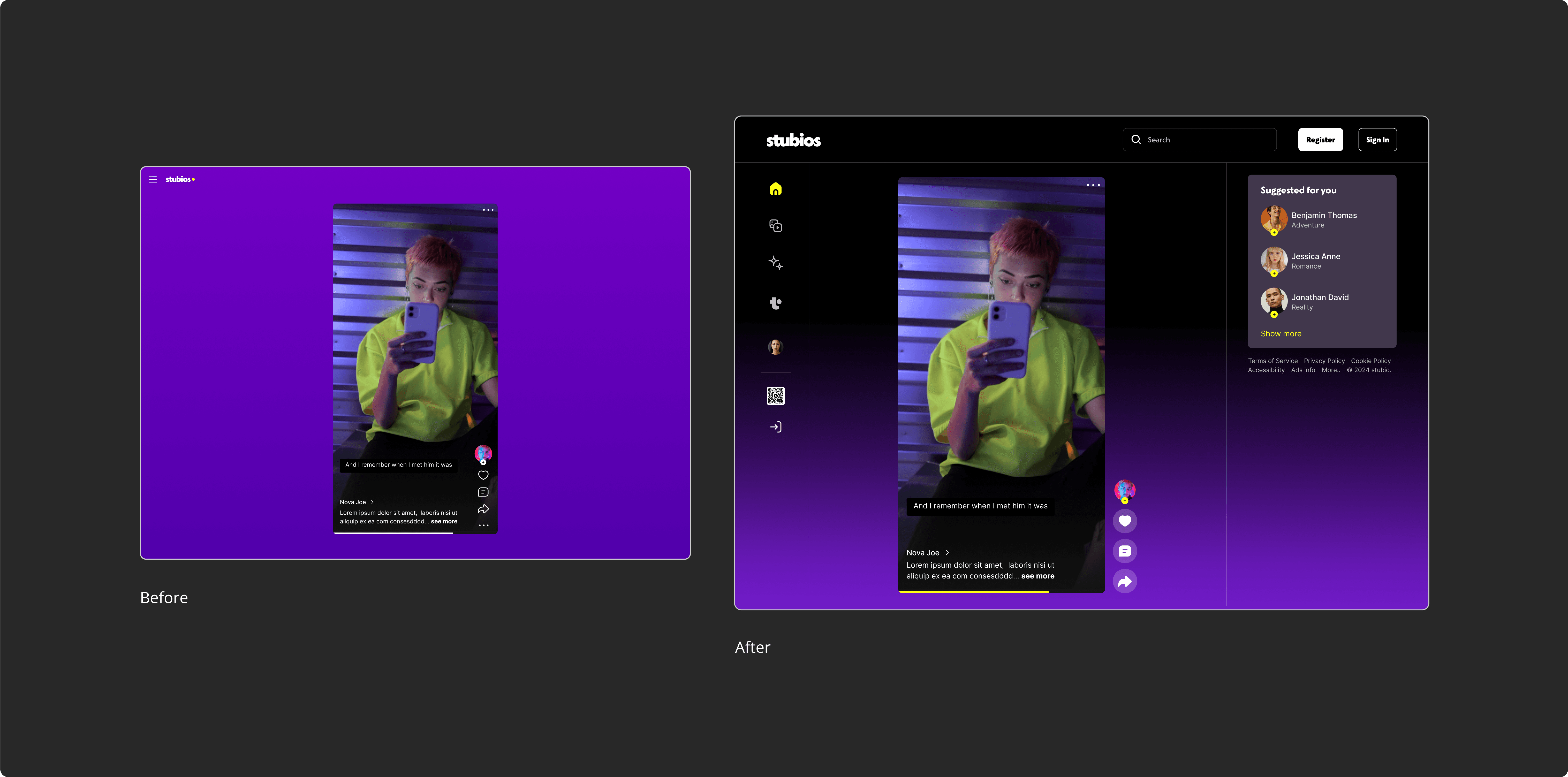
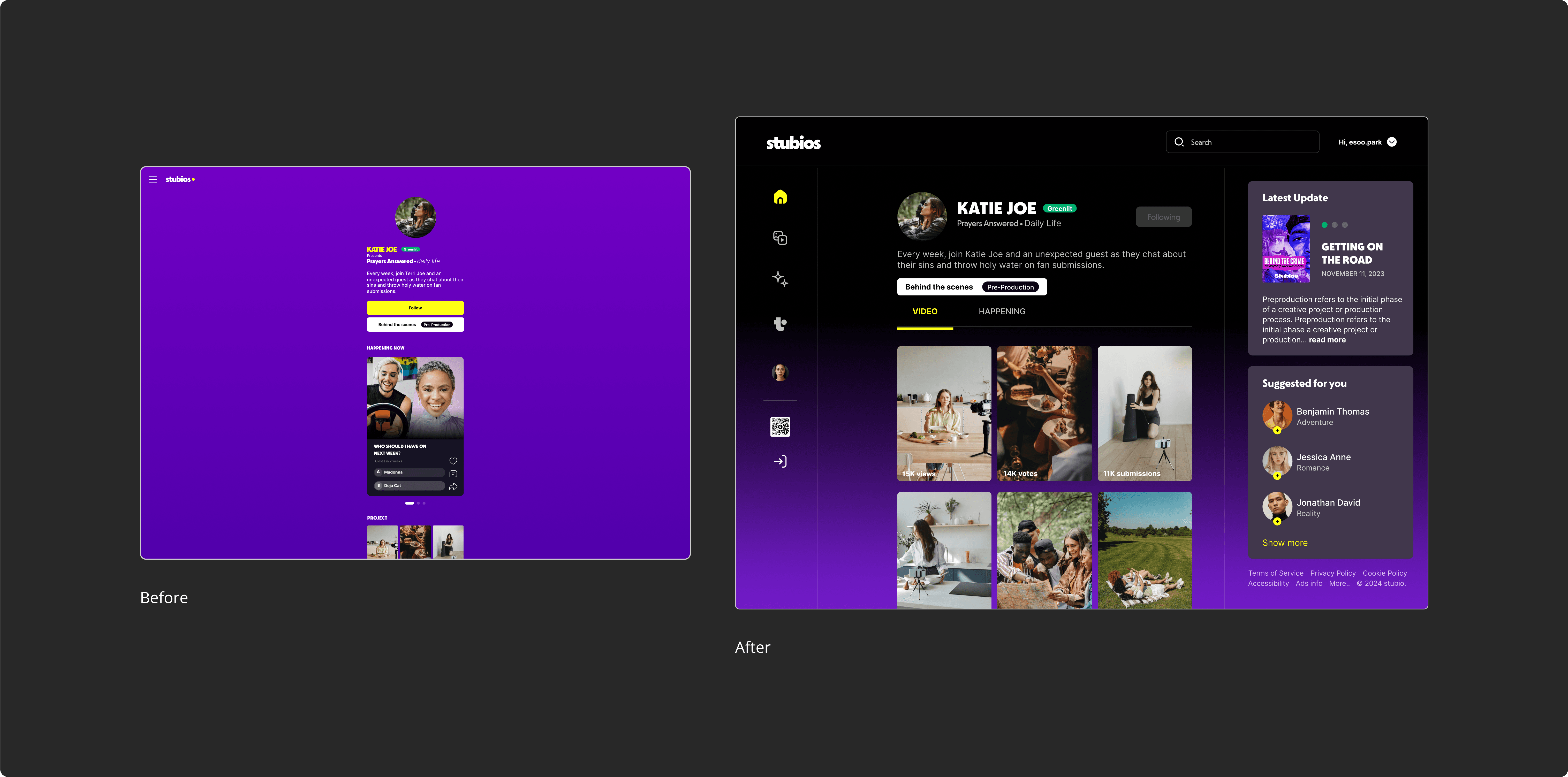
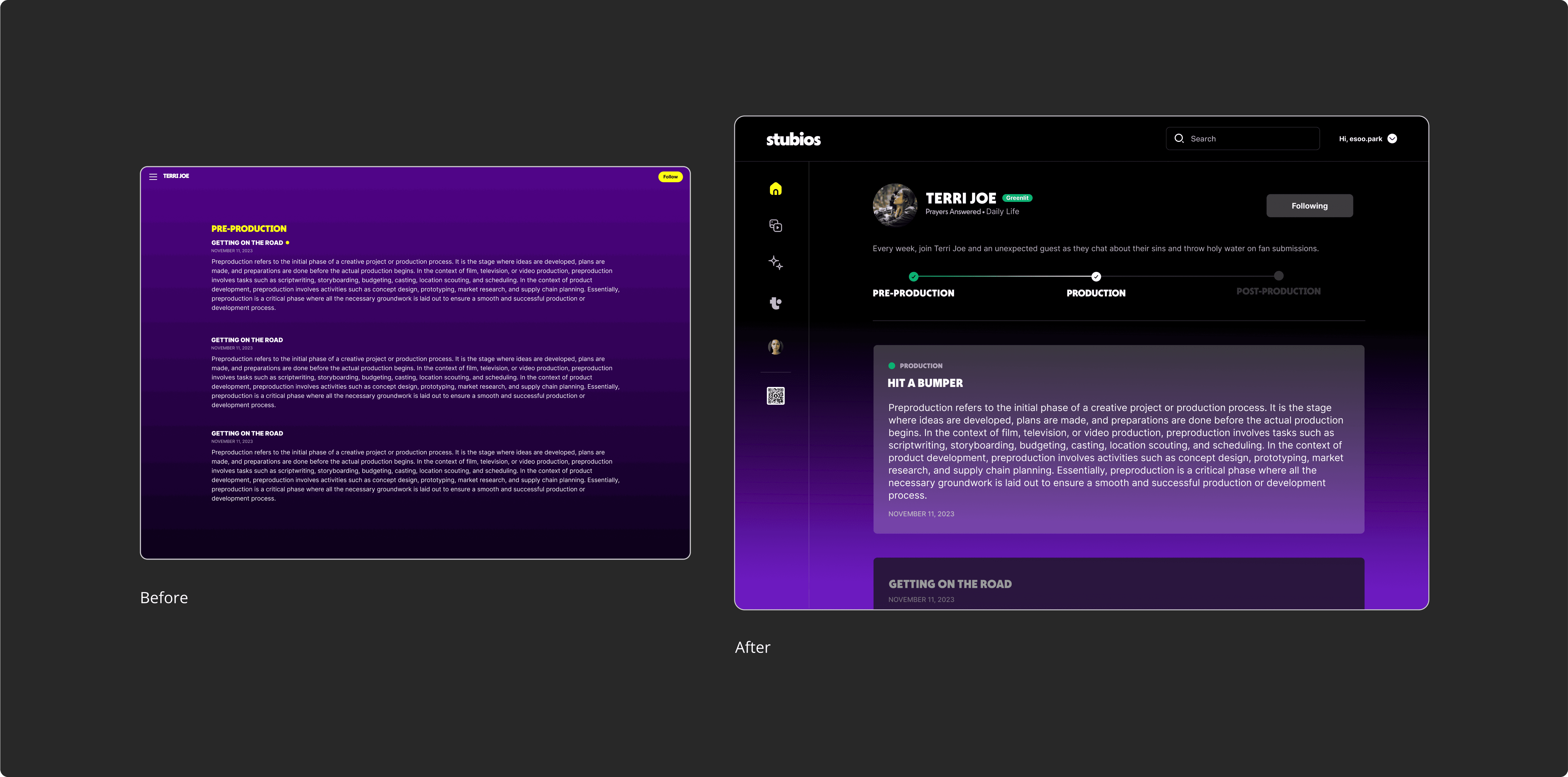
The original mobile UI, when scaled to desktop, resulted in awkward spacing, poor visual hierarchy, and low content density.
I restructured the layout using the new design system—introducing a clear grid, flexible component resizing, and desktop-friendly interaction patterns.
This allowed the interface to feel truly native to larger screens, not just a stretched mobile version.
The original mobile UI, when scaled to desktop, resulted in awkward spacing, poor visual hierarchy, and low content density.
I restructured the layout using the new design system—introducing a clear grid, flexible component resizing, and desktop-friendly interaction patterns.
This allowed the interface to feel truly native to larger screens, not just a stretched mobile version.
The original mobile UI, when scaled to desktop, resulted in awkward spacing, poor visual hierarchy, and low content density.
I restructured the layout using the new design system—introducing a clear grid, flexible component resizing, and desktop-friendly interaction patterns.
This allowed the interface to feel truly native to larger screens, not just a stretched mobile version.
Page 1 : Landing Page
Page 1 : Landing Page
Page 1 : Landing Page
Page 2 : Creator Profile
Page 2 : Creator Profile
Page 2 : Creator Profile
Page 3 : Greenlight Script
Page 3 : Greenlight Script
Page 3 : Greenlight Script
SOLUTION PROCESS (STEP 3)
SOLUTION PROCESS (STEP 3)
SOLUTION PROCESS (STEP 3)
Delivered a clean, developer
friendly file for implementation
Delivered a clean, developer
friendly file for implementation
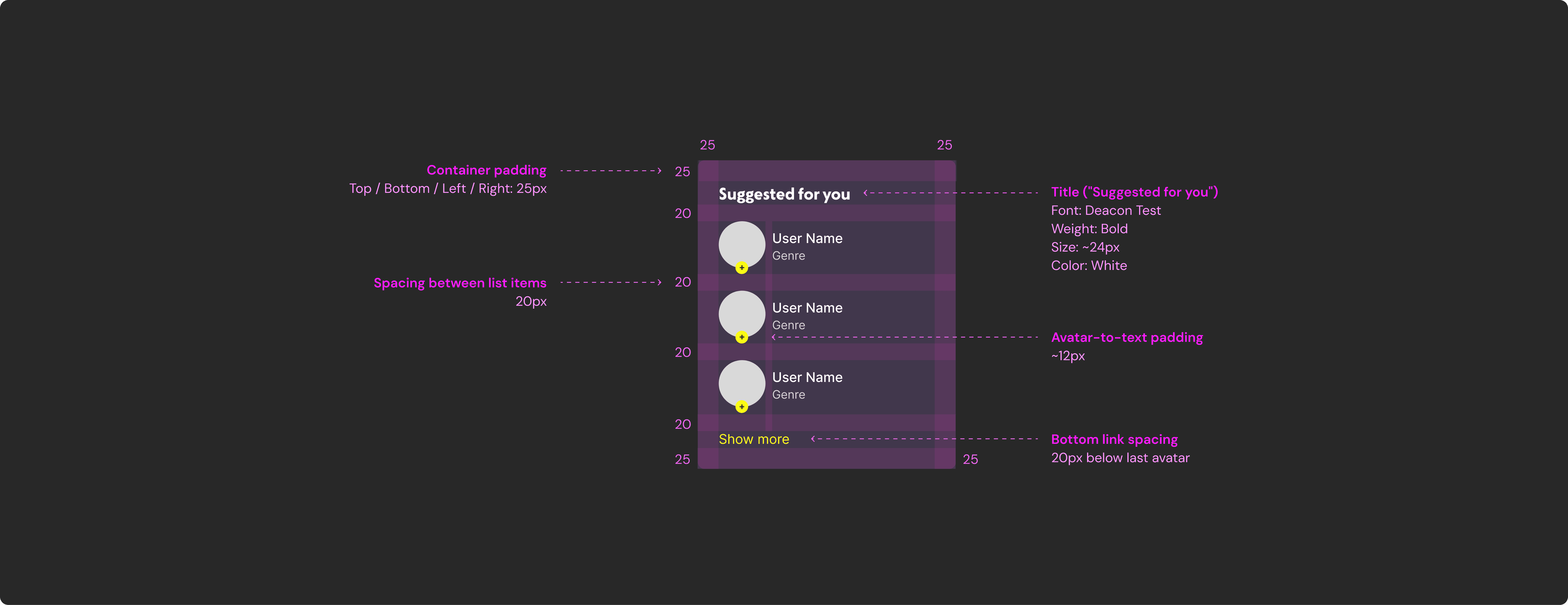
I organized the Figma file with clear structure, annotations, and variants, making it easy for engineers to implement.
The reusable components and defined tokens also reduced back-and-forth, improving handoff efficiency and minimizing design debt.
I organized the Figma file with clear structure, annotations, and variants, making it easy for engineers to implement.
The reusable components and defined tokens also reduced back-and-forth, improving handoff efficiency and minimizing design debt.
I organized the Figma file with clear structure, annotations, and variants, making it easy for engineers to implement.
The reusable components and defined tokens also reduced back-and-forth, improving handoff efficiency and minimizing design debt.
Spec Sheet
Spec Sheet
Spec Sheet
IMPACT
IMPACT
IMPACT
Impact of the Design System
Impact of the
Design System
Impact of the
Design System
Impact of
the Design System
Reduced developer collaboration time by over 30%
Created a library of reusable components for scalable growth
Reduced developer collaboration time by over 30%
Created a library of reusable components for scalable growth
Reduced developer collaboration time by over 30%
Created a library of reusable components for scalable growth
Business Outcome
Business Outcome
Reduced long-term design & development costs through reusable UI
Improved efficiency across feature updates and product scaling
Reduced long-term design & development costs through reusable UI
Improved efficiency across feature updates and product scaling
Reduced long-term design & development costs through reusable UI
Improved efficiency across feature updates and product scaling
REFELECTION
REFELECTION
REFELECTION
What I learned
from this project
What I learned
from this project
What I learned
from this project
01
Consistency
Consistency
between mobile and desktop layouts
02
Single feature update
Single feature update
improves communication
and alignment with developers
03
Design system
Design system
can involve significant time and cost